
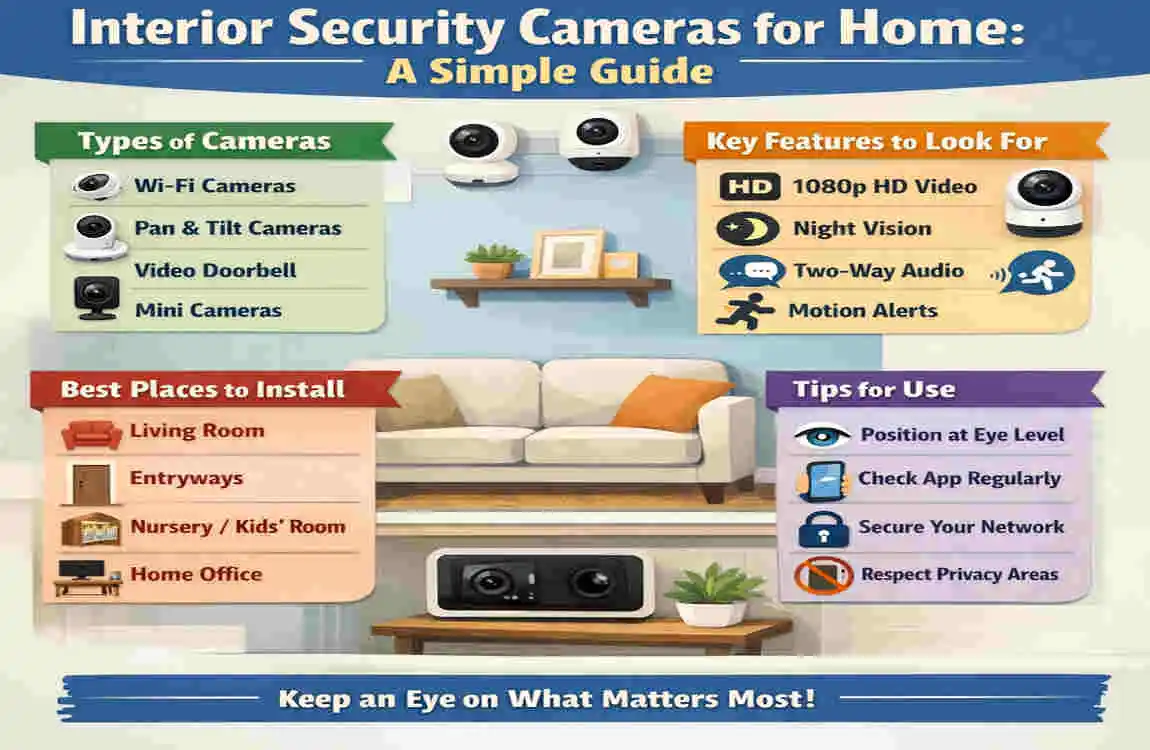
Home security cameras are a practical way to keep an eye on important indoor spaces. Many homeowners use them to check entrances, hallways, living rooms, home offices, and other areas where activity matters.
They can also help you watch over pets, children, or valuable items when you are away. At the same time, these cameras should be used carefully. Placement, privacy, video quality, and storage all matter if you want a setup that feels useful rather than intrusive.
What Are Interior Security Cameras for Home?
Simple Definition
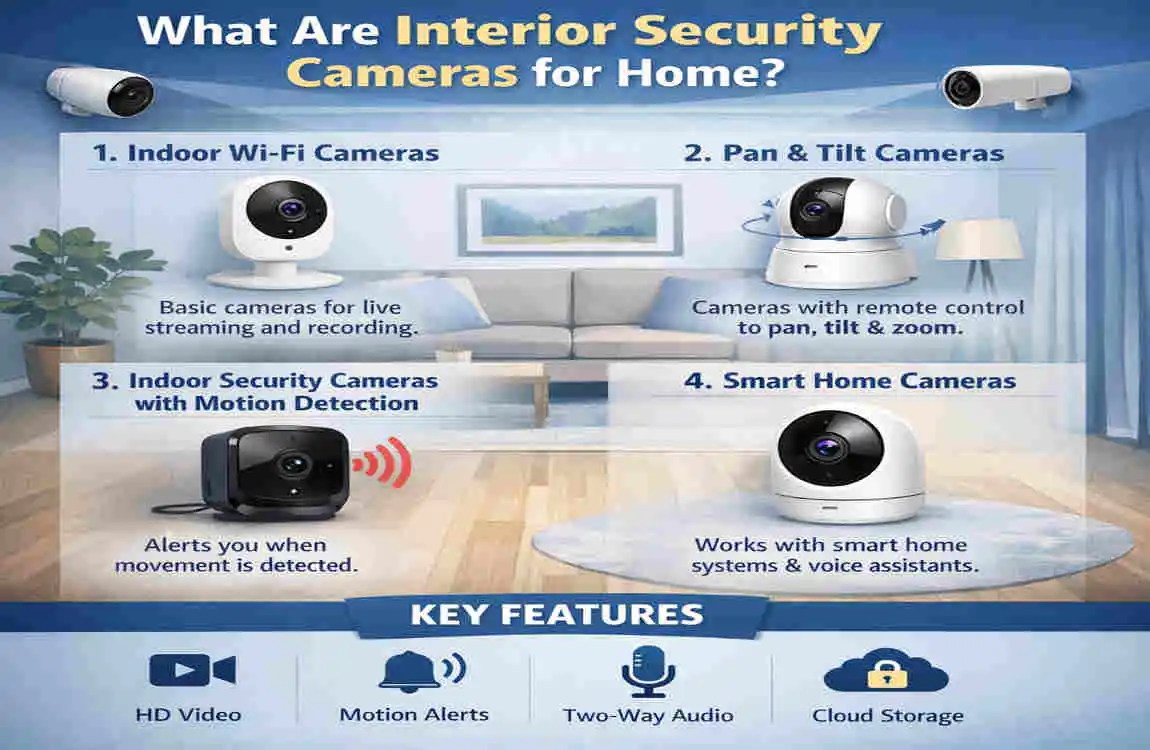
Interior security cameras are cameras designed to monitor the inside of a home. They record video, detect movement, and sometimes send alerts to your phone.
In simple terms, they help you see what is happening indoors, even when you are not there.
How They Are Different From Outdoor Cameras
Indoor cameras are made for interior spaces, so they are usually smaller and less weather-resistant than outdoor models. Outdoor cameras need to handle rain, heat, dust, and wind, while indoor cameras focus more on video clarity and convenience.
That means the design, placement, and features are often different. Indoor models also tend to include more privacy-focused options because they are used in living spaces.
Common Features
Most modern indoor cameras include a mix of useful tools:
- HD or 4K video for clearer footage
- Motion detection to notice movement
- Night vision for dark rooms
- Two-way audio so you can speak through the camera
- Mobile notifications for quick alerts
- Cloud or local storage for saved recordings
Some models are wired, while others are wireless. Wired cameras usually stay plugged in, while wireless cameras are easier to move and install.
Many also work with smart-home systems, which means you may be able to connect them to voice assistants or other home devices.
Why Use Indoor Security Cameras?
Monitor Activity While Away
One of the biggest reasons people choose interior security cameras for home is simple peace of mind. If you are at work, travelling, or just in another room, you can still check what is happening inside.
This can be useful if you want to confirm that doors are closed, children are safe, or pets are behaving normally.
Receive Alerts About Movement
Indoor cameras often send alerts when they notice motion. That can help you respond quickly if something unexpected happens.
For example, if a hallway camera detects movement at night, you can check the app right away instead of waiting to see what happened later.
Keep an Eye on Pets and Children
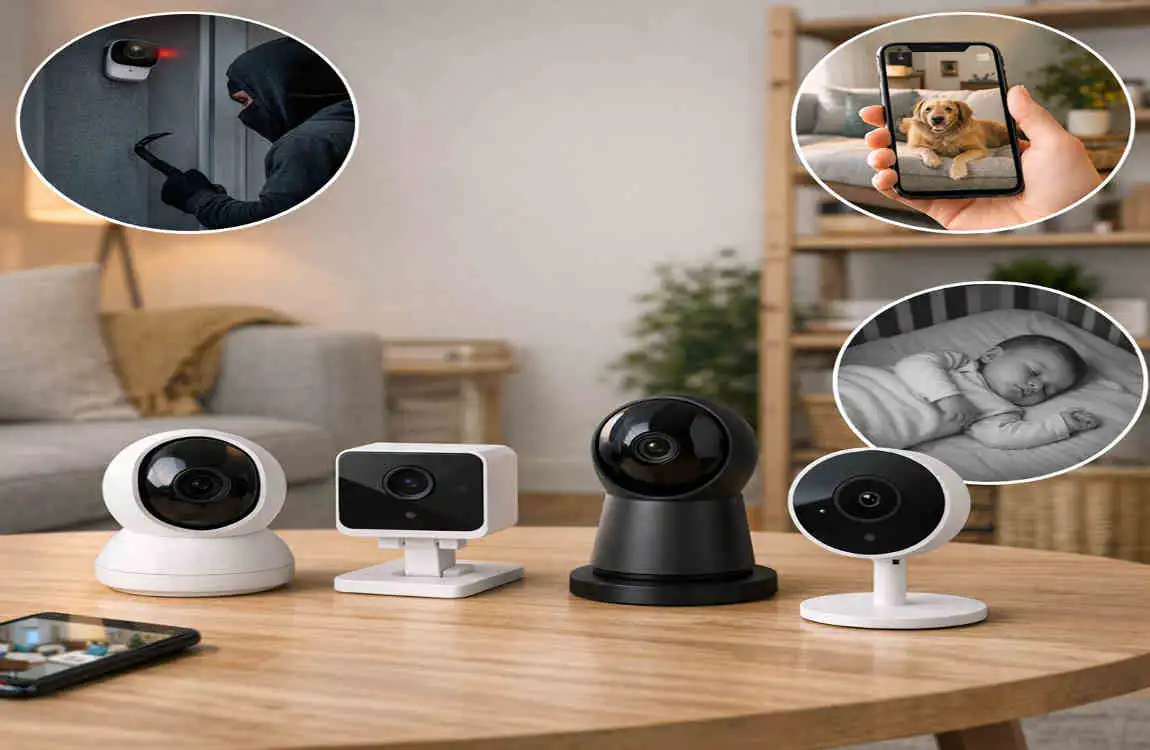
Many homeowners use indoor cameras for family safety, not just security. You may want to check on a sleeping baby, a child playing in the living room, or a pet that stays home during the day.
This is one of the reasons indoor cameras are so popular. They help you stay connected to your home in a simple way.
Watch Entrances and Valuable Areas
Indoor cameras can be useful near main entry points, hallways, home offices, and storage areas. These are spots where movement matters most.
You do not need a camera in every room. A few well-placed cameras often provide enough visibility.
Understand the Limits
It is important to remember that cameras are a monitoring tool, not a complete security system. They can show you what is happening, but they do not physically stop a problem on their own.
Still, when used properly, they are a strong part of a home safety setup.
Best Places to Install Interior Security Cameras
Main Entryway
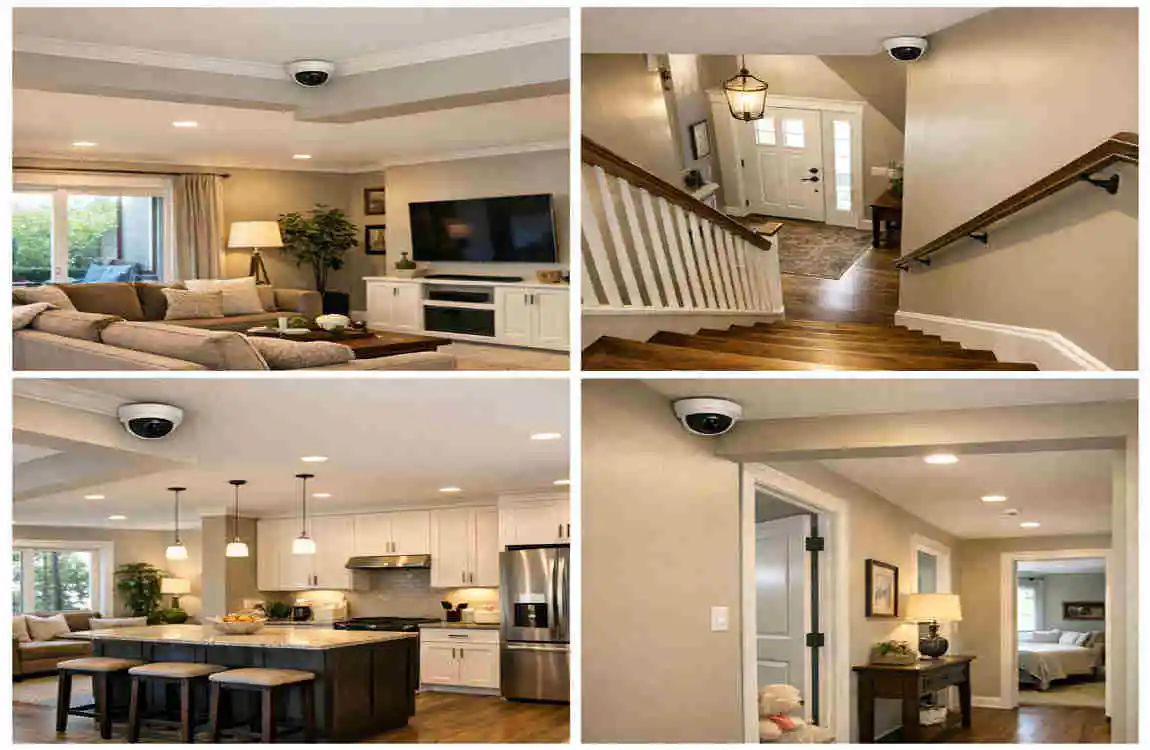
The main entryway is one of the smartest places to install a camera. It helps you see who comes in and out of the home.
This area can also capture important movement if someone enters unexpectedly.
Living Room
The living room is often a central gathering space. A camera here can help you keep an eye on pets, children, or general indoor activity.
It also works well because many homes have open sightlines in this area.
Hallways
Hallways are useful camera locations because they connect different parts of the home. A single camera in the right hallway can cover movement between rooms.
This may help reduce the number of cameras you need overall.
Stairways
Stairways can be a good location because they often sit between levels or private areas of the home. They also create a natural path that people pass through.
A camera here may provide useful visibility without recording every room.
Home Office
If you keep important equipment, documents, or work items in a home office, a camera can help monitor that space. This may also be useful if you work from home and want to check the room when you are away.
Garage or Interior Access Points
Garages that connect to the house can be another smart choice. So can interior doors that lead to basements, utility rooms, or side entrances.
These areas may not get much attention during daily use, but they can be important entry points.
Camera Placement Tips
A good camera setup depends on both location and angle. Keep these tips in mind:
- Mount the camera securely so it stays stable
- Avoid pointing it directly at bright windows
- Test the viewing angle before final installation
- Keep cables away from children and pets
You also want to reduce blind spots without overdoing it. A few thoughtful placements are often better than too many cameras in one home.
Key Features to Look for in an Indoor Camera
Here is a simple table to help you compare the most useful features.
Feature Why It Matters
Video Quality Provides clearer footage
Night Vision Helps monitor dark areas
Motion Detection Sends alerts when movement occurs
Two-Way Audio Allows communication through the camera
Storage Determines how recordings are saved
Privacy Controls Helps protect household privacy
Mobile App Enables remote monitoring
Smart Integration Connects with compatible home devices
Video Quality
Clear video matters because blurry footage is less useful. If you want to recognise people, pets, or details in a room, better resolution helps a lot.
HD is usually enough for many homes, while higher-resolution cameras may be better if you want more detail.
Night Vision
Night vision helps the camera work in dim or dark rooms. This is useful for hallways, living rooms, and entry areas after bedtime.
If your home gets very little light at night, this feature becomes even more important.
Motion Detection
Motion alerts can make your camera more helpful. Instead of recording all the time, it can focus on movement and notify you when something changes.
That can save storage and make it easier to review recordings later.
Two-Way Audio
This feature lets you hear and speak through the camera. It can be useful if you want to talk to a family member, calm a pet, or speak to someone in the room.
Storage Options
Indoor cameras may use cloud storage or local storage.
Cloud storage saves video online, while local storage keeps footage on a card or device inside the home. Each option has benefits, so think about how you want to review and keep recordings.
Privacy Controls
Privacy matters a lot inside the home. Some cameras include shutters, camera-off modes, or schedules that let you pause recording when you want more privacy.
These features can make the system feel more comfortable for everyone in the house.
Mobile App and Smart Integration
A good app makes it easy to check live video, review recordings, and change settings. Smart-home integration can also make the camera easier to use with your existing devices.
If you already use a smart home system, check whether the camera connects smoothly with it.
How to Choose the Right Interior Security Camera for Home
Start With the Area You Want to Monitor
Before buying anything, decide what you actually need to watch. A front hallway, living room, or office may each need a different setup.
This helps you choose the right type of camera without paying for features you may not use.
Decide Between Wired and Wireless
Wired cameras are usually stable and reliable, but they may be harder to install. Wireless models are easier to place and move, but they depend more on your home network and battery or charging needs.
Think about which setup best fits your home.
Compare Storage Options
Do you want footage saved locally, in the cloud, or both? That choice affects convenience, cost, and privacy.
Local storage may be simpler, while cloud storage often gives you easier access from anywhere.
Check Alert Settings
Motion alerts should be useful, not overwhelming. Look for cameras that let you adjust sensitivity or set activity zones.
That way, you can avoid constant alerts from small movements or changing light.
Look at Privacy Features
Because these cameras are used indoors, privacy features are very important. Make sure the camera has good controls for recording, sharing, and turning it off when needed.
Watch for Ongoing Costs
Some cameras work well right out of the box, but others need a subscription for cloud storage or advanced features. Before buying, check the full cost, not just the sticker price.
Match the Camera to Your Home Setup
If your Wi-Fi is weak in certain rooms, a camera may not perform well there. Also, if you already use smart-home tools, look for a model that works with your current setup.
Installation, Privacy, and Maintenance Tips
Basic Installation Considerations
When installing interior security cameras for home, think about the best viewing angle first. Then make sure the camera is secure and the cable is safely managed.
If the camera records a large area, place it where it can see the room without being easily knocked over.
Protect Household Privacy
Do not place cameras where privacy is expected, such as bathrooms or bedrooms. That is important for both comfort and trust inside the home.
If you live with family or guests, tell them where cameras are placed and what they cover.
Keep the Camera Secure
Use strong, unique passwords for your camera account. If the system offers two-factor authentication, turn it on.
These steps help prevent unauthorised access to your camera feed.
Maintain the System
Check the lens regularly so dust does not block the view. Also make sure the camera is still connected and recording properly.
It is smart to update the camera firmware and mobile app when updates are available. That can improve performance and security.
Manage Recordings Thoughtfully
Not every recording needs to be saved forever. Review your storage from time to time and delete old clips when they are no longer needed.
Also remember that privacy and recording rules can vary by location. If other people are being recorded, it is wise to understand the rules that apply where you live.
Frequently Asked Questions About Interior Security Cameras for Home
Are interior security cameras worth it?
Yes, they can be very useful if you want to monitor activity, check on pets or children, or watch important indoor areas. Just remember they are a monitoring tool, not a complete security solution.
Where should I put an indoor security camera?
Good places include entryways, hallways, living rooms, stairways, home offices, and garage access points. Avoid private spaces like bathrooms and bedrooms.
Do indoor security cameras work without Wi-Fi?
Some do, but many need internet access for live viewing and alerts. Cameras with local storage may still record without Wi-Fi, but app features may be limited.
Can indoor cameras record at night?
Yes. Many cameras use infrared night vision or low-light features to capture video in dark rooms.
Do indoor security cameras need a subscription?
Not always. Some cameras use cloud plans, while others support local storage without a monthly fee.
Are indoor security cameras safe for privacy?
They can be safe if you use strong passwords, set privacy settings, and place them carefully. It also helps to limit access to trusted people only.
How many interior security cameras does a home need?
That depends on your home size, layout, and goals. A small home may need only one or two cameras, while a larger home may need more coverage.
| Aspect | Quick Information |
|---|---|
| Purpose | Monitor indoor spaces and help improve home security. |
| Best Locations | Entryways, hallways, living rooms, and areas with valuable items. |
| Camera Types | Wired, wireless, Wi-Fi, indoor pan-and-tilt, and smart cameras. |
| Key Features | Motion detection, night vision, two-way audio, HD video, and mobile alerts. |
| Storage Options | Cloud storage, local SD cards, or network-connected storage. |
| Privacy | Avoid private areas such as bathrooms and bedrooms, and use privacy settings when available. |
| Installation | Place cameras where they have a clear view without being easily blocked or tampered with. |
| Smart Home Integration | Many cameras can connect with smart displays, alarms, and other home devices. |
